

To reduce screen time and phone use, work on three layers rather than one: make apps harder to open, move the phone physically out of reach, and give yourself a way to notice the moment you reach for it. Device settings handle the first layer well and the second not at all, and most people fail on the third, because the reach is automatic and never registers as a decision.
The setup guides are good, and worth doing. Most of us have already done them. You spend forty minutes in Settings on a Sunday, silence the notifications, cap the apps, move the icons off the first screen, and it works for about a fortnight. Then, without any decision you can point to, you are back. This piece is about why that happens, and about the part of it no settings menu can reach.

Why is it so hard to reduce screen time?
Because most phone use is not a choice you are making. Researchers at Lancaster University and the University of Lincoln measured actual smartphone use over 13 days rather than asking people to estimate it, defining a "check" as any use lasting under 15 seconds. Their conclusion was blunt: multiple daily checks indicate "an absent minded use of mobile phones, which is habitual and unconscious" (Lancaster University).
Two findings from that work matter here. First, people underestimate their own use, and the researchers attribute this directly to the behavior being automatic and therefore hard to recall. This is not a one-off result: a review of studies comparing self-reported screen time against logged device data found self-reports are a poor proxy for what people actually do (Computers in Human Behavior, 2021). Second, the pattern is strikingly stable: if you check your phone 80 times today, you will most likely check it about 80 times tomorrow.
Measured phone checks tend to repeat at almost the same rate every day, because the behavior is habitual rather than deliberate (Lancaster University and University of Lincoln, 13-day measured study).
That stability is the useful part. A habit that consistent is not a willpower failure, and it is not a mood. It is a pattern running underneath your attention, which means the fix has to work at that level too.
Do screen time settings and app limits actually work?
They work on one specific thing: how much friction sits between you and an app. That is real and worth having. App limits, Downtime, grayscale, a tidy home screen and ruthless notification settings all reduce the number of times your phone successfully pulls you in.
What they cannot do is stop a reach you never noticed starting. An app limit is a wall you hit after you have already unlocked the phone, opened the app and started scrolling. By then the behavior has run. You are not deciding whether to scroll, you are deciding whether to tap "Ignore Limit," which is a much weaker moment.
It helps to separate the layers:
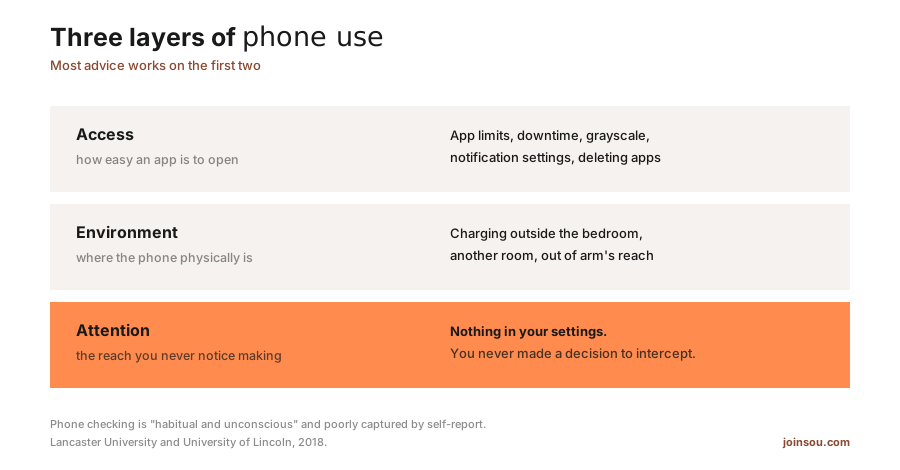
| Layer | What it means | What addresses it |
|---|---|---|
| Access | How easy an app is to open | App limits, Downtime, grayscale, notification settings, deleting apps |
| Environment | Where the phone physically is | Charging outside the bedroom, another room, out of arm's reach |
| Attention | The reach you never notice making | Nothing in your settings, because you never made a decision to intercept |
Almost every screen time guide, including the thorough ones, lives in the first two rows.
Which tactics actually survive an unconscious reach?
The ones that either remove the option entirely or restore your awareness before the reach completes. Sorted honestly, including where our own category comes out:
- Delete the app. Works, because there is nothing to open. The most effective single move, and the one people resist most.
- Put the phone in another room. Works, because the reach finds nothing. Free, and inconvenient in exactly the way that makes it effective.
- Silence non-human notifications. Partly works. It stops the phone starting the conversation, which is a genuine reduction, but it does nothing about the reaches you initiate.
- Grayscale and a tidy home screen. Partly works. It lowers the reward once you are already there.
- App limits and timers. Weakest of the set for this specific problem, because they arrive after the fact. Useful as a backstop, not as a fix.
- Something that interrupts you. Works, because it converts an automatic reach into a noticed one. This is the layer almost nothing covers.
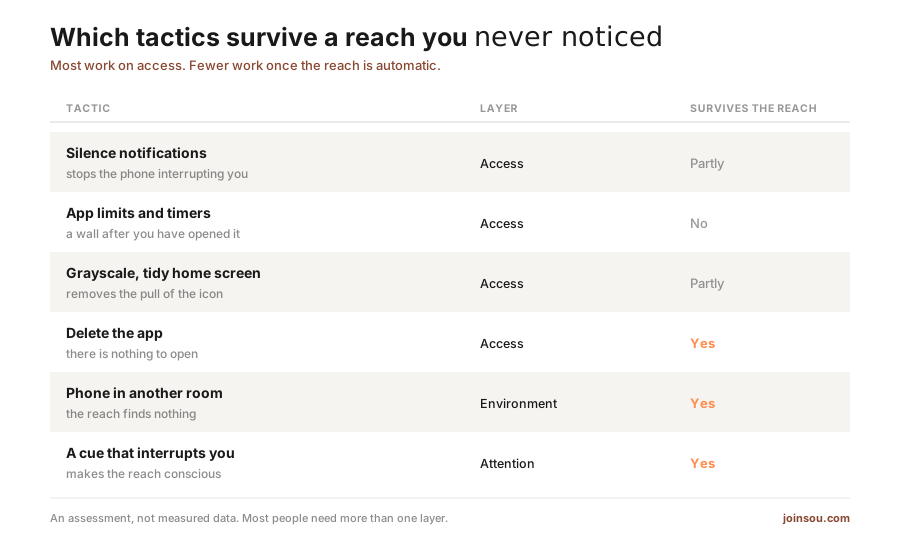
| Tactic | Layer | Survives the reach |
|---|---|---|
| Silence notifications | Access | Partly |
| App limits and timers | Access | No |
| Grayscale, tidy home screen | Access | Partly |
| Delete the app | Access | Yes |
| Phone in another room | Environment | Yes |
| A cue that interrupts you | Attention | Yes |
The last one deserves explanation, because it sounds vaguer than it is. If the problem is that your hand moves without you, the intervention is anything that makes you present at that moment: a rubber band on the phone, a note taped to the back, a physical cue on your wrist. The mechanism is the same in each case. You cannot choose differently until you notice you are choosing.
What should you do instead of picking up your phone?
Decide in advance, because the moment itself is too short to plan in. The reach usually happens in a gap: waiting for a lift, a lull in a conversation, the thirty seconds after you finish a task. Those gaps get filled by whatever is nearest.
A few replacements that work because they fit the same gap:
- One slow breath. Fits any gap, needs nothing, and turns a dead moment into a deliberate one.
- Look at something far away. Useful for your eyes and it breaks the posture that goes with scrolling.
- Stand up. The gap is often physical restlessness rather than boredom.
- Write the thought down on paper. Most phone reaches are triggered by a thought you want to park. Paper parks it without opening anything.
Pick the replacement now, not later Choose one thing you will do instead, and make it small enough to fit a thirty second gap. In the moment you reach for your phone you will not invent an alternative, you will only remember one you already chose.
How long does it take to reduce phone use?
Longer than a fortnight, and it is worth knowing that going in. Setup guides often promise a 30% drop in two weeks, and the settings changes really can deliver that quickly, because the friction is instant. Holding the change is the slower part, since you are rebuilding a habit that repeats dozens of times a day.
Treat it as habit work rather than a configuration project. Change one thing, let it settle, then change the next. Habit research puts automaticity at a median of about 66 days, with a range from 18 to 254, so a fortnight was never a realistic finish line. We went through that timeline in more detail in how to build a new habit that sticks, and the short version is that consistency matters far more than intensity, and that missing a day is not a failure.
Does a reminder on your phone help you use your phone less?
Rarely, and this is the awkward part of most digital wellbeing advice. A prompt delivered by the device you are trying to use less arrives in the same stream as everything else, and gets dismissed the same way. Worse, checking whether you are doing well means opening the thing you are trying to open less often.
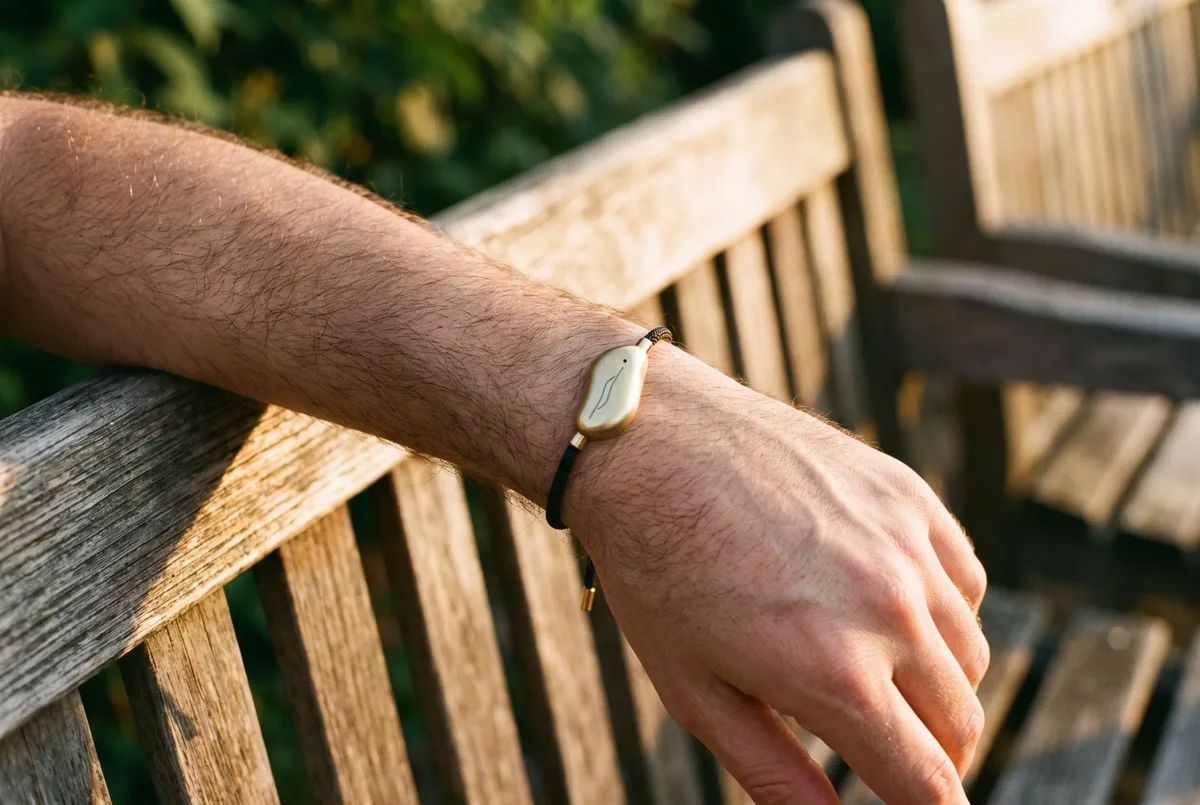
This is why the tactics that hold up tend to be physical. A phone in another room, a book on the coffee table, a note on the back of the case. They work without a screen, so they cannot be undone by the screen.
It is also the most common thing we hear from people who back Sou. Angela, a backer from our Kickstarter campaign, put it better than we have:
That I can put my phone down and have this reminder as a wearable is an exciting next step.
That is the whole idea in one sentence. Sou is one option here, a mindfulness wearable funded by 313 backers that gives a gentle vibration at intervals through the day, with no app and no screen. Plenty of people get to the same place with a rubber band, a paper notebook or a charger in the hallway. What matters is that the reminder does not live on the device you are trying to put down. For more on why screen-free prompts behave differently, see the benefits of screen-free mindfulness wearables.
Reducing screen time is not really about screens. It is about the two seconds before you pick the phone up, and whether anything in your day makes you present for them.